Arayüz nasıl düzenlenmiştir
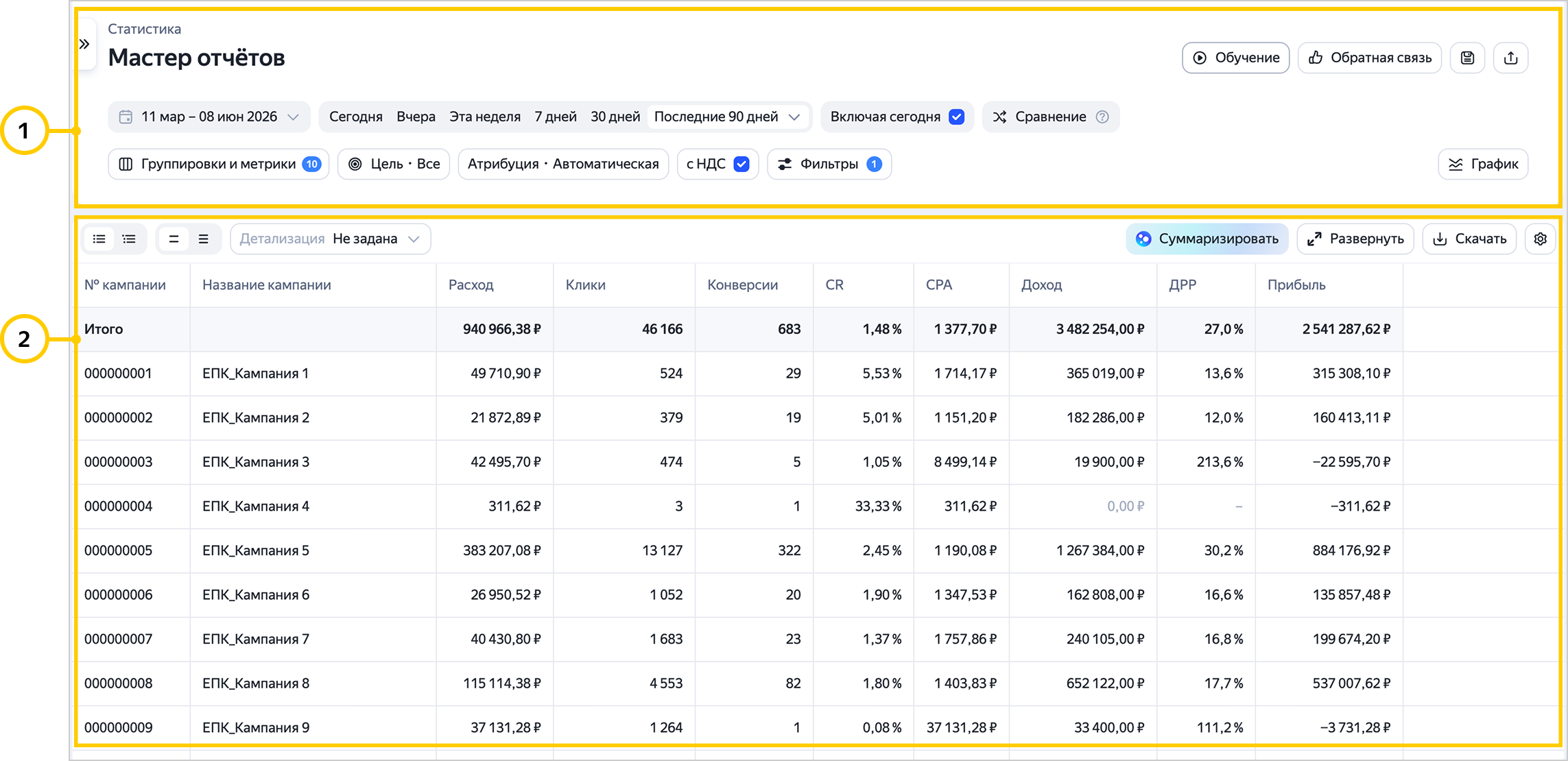
Rapor Sihirbazı arayüzü iki ana bloktan oluşur:
-
Yapılandırma.
Rapordaki verileri ve bunların görüntülenme biçimini etkileyen temel ayarların yanı sıra raporu kaydetme, paylaşma ve menüye gitme gibi ek özellikleri de içerir.
-
Rapor.
Raporlarda navigasyon
Navigasyon paneli, kaydedilmiş raporlar ve Kitaplık'taki raporlar arasında geçiş yapmayı sağlar. Artık gerekli rapora ulaşmak için bu bölümleri ayrıca açmanıza gerek yok.
Navigasyon, rapordan rapora geçişte filtreleri devralmaya olanak tanır. Örneğin Arama'daki kampanyanın istatistiklerini analiz edebilir ve gezinme panelini kullanarak Kitaplık'taki arama sorguları raporuna geçebilirsiniz. Geçiş yapıldığında, başlangıçta çalışılan kampanya için rapor açılacak.
Navigasyon panelini gizlemek veya göstermek için  düğmesine basın.
Video görüntüleme
Başka sorunuz var mı?
Dikkat
Müşteri Hizmetleri uzmanı, siz hangi kullanıcı adından iletişime geçtiyseniz yalnızca o kullanıcı adından başlatılmış olan kampanyalarla ilgili danışmanlık verebilir. Kullanıcı adı, ya.ru’yu komşu tarayıcı sekmesinde açarsanız görülebilir. Uzman, verilerinize yalnızca talebi işlerken erişebilecektir.
QR kodunu tarayın veya bağlantıya gitmek için koda tıklayın.