---
metadata:
  - name: generator
    content: Diplodoc Platform v5.50.3
alternate:
  - en/
  - ru/
  - tr/
---
> **Documentation Index:** Fetch the complete configuration index at https://yandex.com.tr/support2/audience/en/llms.txt


# Yandex Audience

[Yandex Audience](http://audience.yandex.com) is a service where you can use your own target audience data as well as Yandex data to set up campaigns in [Yandex Direct](http://direct.yandex.com) and [Adfox](https://www.adfox.ru/en/).


The service is easy to use. In Yandex Audience, you can:


<div class="grid-container">
    <div class="grid-item">
        <div class="gallery_img"><img src="https://yastatic.net/s3/doc-binary/src/support/audience/ru/zall-index.png"></div>
        <div class="link-s">
            <p><strong>Create segments based on your data</strong></p>
            <p>Upload <a href="segments/create-from-file">data from your CRM</a> to Yandex Audience to serve ads to your customers. </p>
        </div>
    </div>
    <div class="grid-item">
        <div class="gallery_img"><img src="https://yastatic.net/s3/doc-binary/src/support/audience/ru/lal-index.png"></div>
        <div class="link-s">
            <p><strong>Find potential customers with the Look-alike technology</strong></p>
            <p>Find users who are <a href="segments/look-alike">similar</a> to your existing customers in terms of their interests and behavior on the internet. </p>
        </div>
    </div>
    <div class="grid-item">
        <div class="gallery_img"><img src="https://yastatic.net/s3/doc-binary/src/support/audience/ru/site-index.png"></div>
        <div class="link-s">
            <p><strong>Work with the audience of your site or app</strong></p>
            <p>Create segments based on <a href="segments/metrika">Yandex Metrica</a> or <a href="segments/app-metrica">AppMetrica</a> data and serve ads to users who visited your site or installed your mobile app. </p>
        </div>
    </div>
    <div class="grid-item">
        <div class="gallery_img"><img src="https://yastatic.net/s3/doc-binary/src/support/audience/ru/radar.png"></div>
        <div class="link-s">
            <p><strong>Select audience by their location</strong></p>
            <p>Attract customers who live nearby or frequently visit a particular address. To do this, use Yandex <a href="segments/geo">location</a> data to create segments.</p>
        </div>
    </div>
    <div class="grid-item">
        <div class="gallery_img"><img src="https://yastatic.net/s3/doc-binary/src/support/audience/ru/media-index.png"></div>
        <div class="link-s">
            <p><strong>Work with your media advertising audience</strong></p>
            <p>Create <a href="segments/pixel">segments based on tracking pixels</a> and serve ads targeted at those users who saw your media or video ad.</p>
        </div>
    </div>
    <div class="grid-item">
        <div class="gallery_img"><img src="https://yastatic.net/s3/doc-binary/src/support/audience/ru/stat-index.png"></div>
        <div class="link-s">
            <p><strong>View segment statistics</strong></p>
            <p>Learn <a href="segments/segments-stat">how users are distributed</a> across gender, age, city and device type. You can also see the extent of similarity among users, their interests, and their lifestyle. </p>
        </div>
    </div>
    <div class="grid-item">
        <div class="gallery_img"><img src="https://yastatic.net/s3/doc-binary/src/support/audience/ru/access.png"></div>
        <div class="link-s">
            <p><strong>Grant access to your segments to other Yandex IDs</strong></p>
            <p>Use one segment to set up ads in your Yandex Direct accounts. Learn more about <a href="access">access control</a>. </p>
        </div>
    </div>

</div>


Yandex Audience has an [API](https://tech.yandex.com/audience/doc/concept/about-docpage/) (in English) that you can use to manage your segments and user access.

In Yandex Audience, you can automatically export segments from [AppsFlyer](https://www.appsflyer.com/) and use them to promote mobile apps in Yandex Direct. Learn more about [integration with AppsFlyer](https://yandex.com.tr/support2/audience/en/appsflyer.md).


<!-- source: en/_includes/form-res.md -->
## Still have questions? {#all-pages}

{% note alert %}

Customer support agents can only assist you with campaigns associated with your username. You can see your current username it in the upper-right corner of the screen. The agent will get access to your data only when processing your request.

{% endnote %}

<!-- стили желтых кнопок-катов: -->


<!-- стили желтой кнопки-ссылки: -->


<!-- локаль ru -->
<!-- конец локали ru -->


<!-- локаль en -->

<!-- желтая кнопка-кат: -->
<div class="cut-button">

{% cut "Message in WhatsApp" %}

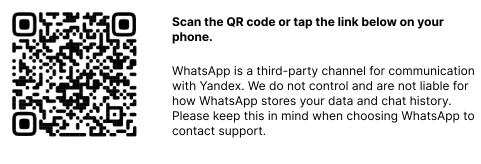
<img src="https://yastatic.net/s3/doc-binary/src/support/direct/en/files/whatsapp-en-text.svg" style="display: block;"/>
<a href="https://wa.me/74951399193?utm_source=direct&amp;utm_medium=helpu&amp;tm_campaign=en" format="html" style="display: block; text-align: left; margin-left: 18px; color: #5889FF;">Go to WhatsApp</a>

{% endcut %}

</div>


<!-- желтая кнопка-кат: -->
<div class="cut-button">

{% cut "Call" %}

You can reach us from 10:00 to 19:00 GMT +3 (Moscow time) at:

**Moscow**: [+7 495 139-91-93](tel:+74951399193).

**Russia**: [8 800 700-47-45](tel:88007004745) (toll-free inside Russia).

To access your campaigns, the agent will need a [PIN code](https://yandex.com/support/direct/troubleshooting/pin-code.html).

{% endcut %}

</div>


<!-- желтая кнопка-кат: -->
<div class="cut-button">

{% cut "Write a message" %}

<iframe form-id="1435" collapsed="no" collapsible="no" form-title="Обратиться в отдел клиентского сервиса" id="all-p" width="100%" src="https://forms.yandex.com/surveys/1435/?lang=ru&title=%D0%9E%20%D1%87%D0%B5%D0%BC%20%D0%B2%D1%8B%20%D1%85%D0%BE%D1%82%D0%B8%D1%82%D0%B5%20%D1%81%D0%BF%D1%80%D0%BE%D1%81%D0%B8%D1%82%D1%8C%3F&requestid=1678345963548777-1444993988871094178-vla1-3501-vla-l7-balancer-8080-BAL-7399&iframe=1&path=%2Fsupport%2Faudience%2Ftroubleshooting%2Fstart.html&feedback_sid=8935512981673750718&mobile=false&service=audience&referer=https%3A%2F%2Fyandex.com%2Fsupport%2Faudience%2Fdelete-data.html&url=https%3A%2F%2Fyandex.com%2Fsupport%2Faudience%2Ftroubleshooting%2Fstart.html" frameborder="0" style="background: #FFFFFF; border-radius: 10px; padding: 18px"></iframe>

{% endcut %}

</div>

<!-- конец локали en -->


<!-- локаль tr -->
<!-- конец локали tr -->
<!-- endsource: en/_includes/form-res.md -->

<!-- source: en/_includes/footer.md -->
<div width="100%" align="center"> 
<br><br>

[![](_assets/footer.png =300x)](https://audience.yandex.com/)

</div>
<!-- endsource: en/_includes/footer.md -->