Links between Wiki pages and Tracker issues
You can link Yandex Tracker issues to a Wiki page. This is useful if the page contains materials that are needed to complete the issue. You can add a link between a page and an issue either in Wiki or in Yandex Tracker. How to create a link in Tracker
To link Yandex Tracker issues to a Wiki page and manage them:
-
Open the page in Wiki.
-
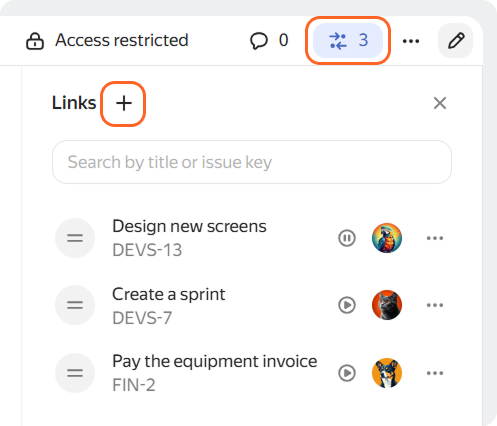
In the upper-right corner, click Links .
The linked issues panel opens on the right. For each issue, the title, status, and assignee are displayed.
-
To add a link, click at the top of the panel, enter the issue title, key, or link, and then select the required issue from the list.
On the Links panel, you can view the list of issues:
-
To find a linked issue in the list, enter its title or key in the search box.
-
To view the issue parameters, click it in the list. The issue opens on the right panel. To open the issue in a new window, on the viewing panel, click the issue key or the icon to the right of the title.
-
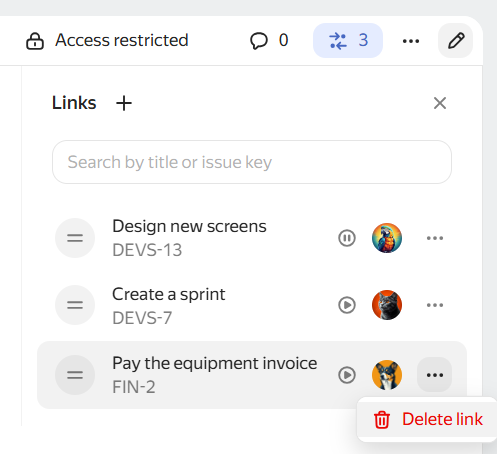
To remove a link, click the icon and select Remove link.
A link between a Wiki page and an issue is also added automatically if you create an issue from the selected text on the page. How to create an issue from page text