Planning poker for issue estimation
In Agile methodologies, teams use Planning Poker to estimate issue complexity together. Learn more about Planning Poker The method is called poker because participants use a special deck of cards with possible estimates in Story Points.
When estimating an issue, each participant independently chooses a card with a number that represents its complexity. The participants then reveal and discuss their estimates to agree on a final one.
In Tracker, you can estimate issues together on a board with the Planning poker tool.
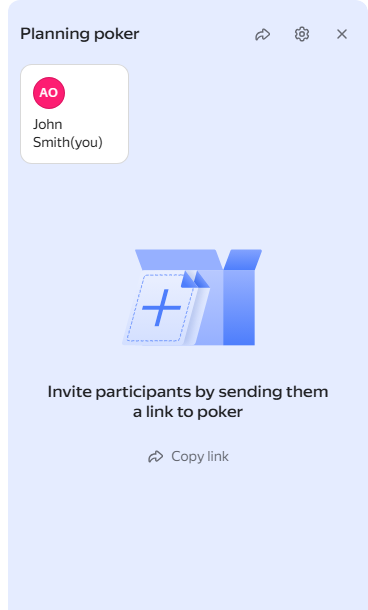
Estimating an issue with Planning Poker
Planning Poker is available on With backlog and sprints boards. If you use a Basic board, enable Planning Poker and other Agile tools: Enabling Agile tools.
Estimating issues
To estimate issues together, open Planning Poker on the board and estimate the issues that the team plans to add to a sprint one at a time.
-
Open your board and click Planning poker in any of its tabs.
-
In the window that opens, copy the poker link and send it to other team members. The poker page will list all the users who followed the link.
-
Add the issue you want to estimate to Planning Poker:
- Drag the issue to the poker from a sprint or the backlog.
- Click → Add to poker on the issue card.
-
Select the appropriate score for the issue and wait until other planners assign their values: you should see the green check mark in the card of each of them.
-
Click Show values. The scores chosen by the other users appear under their names.
The final score is calculated automatically and saved in the Estimate field. You can change this value if needed.
-
Click Set an estimate to finalize the score. The score value from the Estimate field is copied to the Story Points field in the issue, and the issue disappears from the poker page.
-
Add the next issue to Planning Poker and estimate it.
Configuring the estimation scale
The estimation system used in planning poker usually includes Fibonacci numbers and similar number sequences. To change the scoring system:
-
Open your board and click Settings → Poker in the top right corner.
-
To add a number to the scoring system, enter it in the Deck of estimates field.
-
To remove a number from the scoring system, click .
-
Click Save.
Configuring how the final score is calculated
You can select how the values assigned by planners will affect the final effort estimate for your issues. To do this:
-
Open your board and click Settings → Poker in the top right corner.
-
Choose the calculation function in the Calculation of final estimate field. Maximum value is set by default.
-
Click Save.
Hiding or displaying estimated issues
In Planning Poker mode, you can hide or display issues with a completed Story Points field.
To hide estimated issues:
- On the board, enable the display of the Story Points field in the → Card fields menu.
- In the top right corner, click Settings → Poker and make sure that the Display estimated issues option is disabled.
To see issues with a completed Story Points field in Planning Poker mode:
- Open the board, click Settings → Poker in the top right corner.
- Enable the Display estimated issues option.