Edit a review
To edit your review:
-
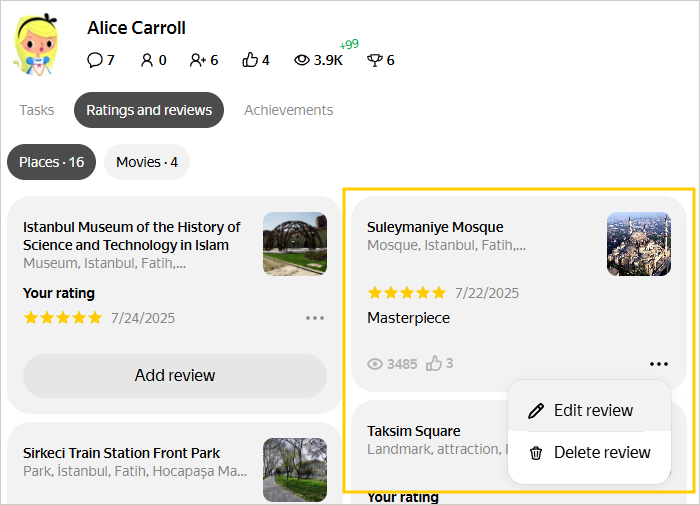
Go to the Ratings and reviews page.
-
Find the review on the Reviews tab.
-
In the bottom right corner of the review card, press
 → Edit review.
 -
Edit the review by making changes to its text or by adding or removing photos.
-
Press Save review. The review will be sent for moderation. If it complies with our rules, we'll publish it within a few days. For more information, see Publication rules.
Was the article helpful?
Previous
Next