|
You're reading Help for the Yandex app. |
Appearance
When you launch the app, the Home screen opens. To see the entire home screen, scroll down.
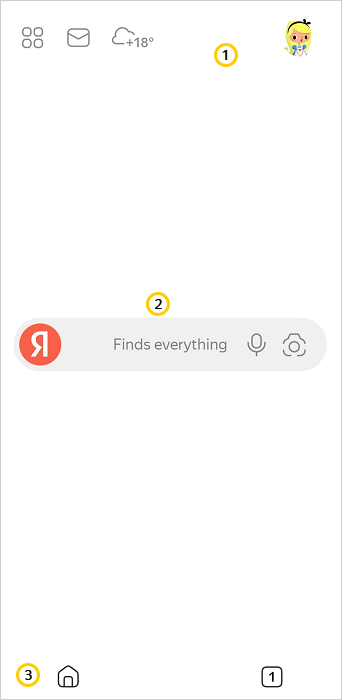
— Top panel:
— Profile menu for quick access to personal info, settings, and other pages
— SmartBox
— Bottom panel:
— Go to home screen
— Open tabs
Home screen
You can choose which information you want to see on the home screen:
-
On the home screen, tap → App settings.
-
Under General (for Android devices), tap Home screen.
-
Enable or disable these options:
- Quotations (currency exchange rates, commodity prices, and stock indexes).
- Weather and traffic.
- Content feed.
- Search by category.
-
Under Notifications in the feed, select your favorite notification topics. They'll appear at the top of the feed on the home screen.
Was the article helpful?
Previous
Next