Goals
In this section, select the goals used to calculate conversion-based metrics like conversions and CPA. Goals are grouped across all the Yandex Metrica tags used in your campaigns. You can collapse or expand the list for each tag.
You can also search for goals and tags by name or ID.
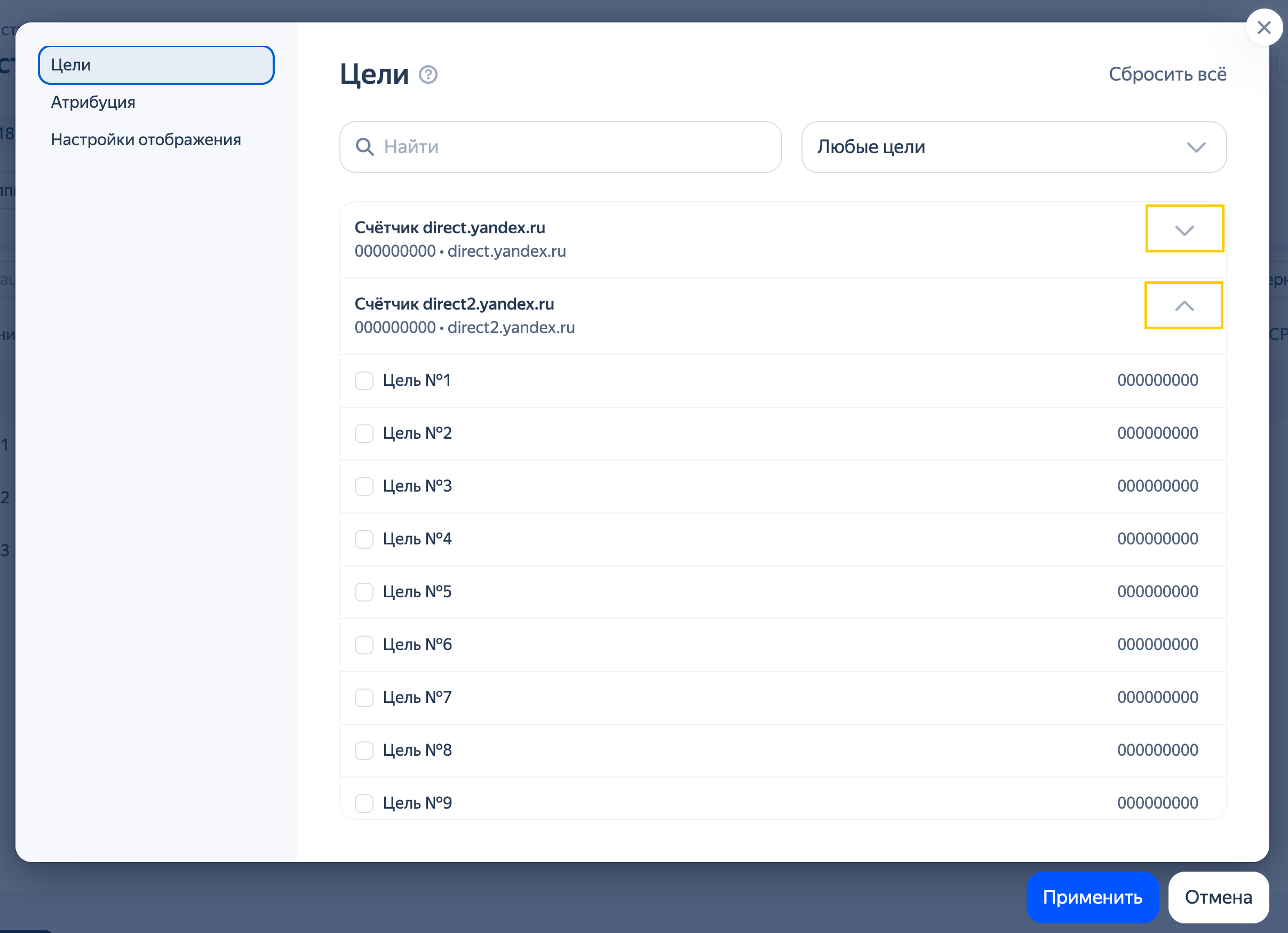
If you don't select any goals, the conversion metrics will reflect the number of converted sessions that have at least one achieved goal.
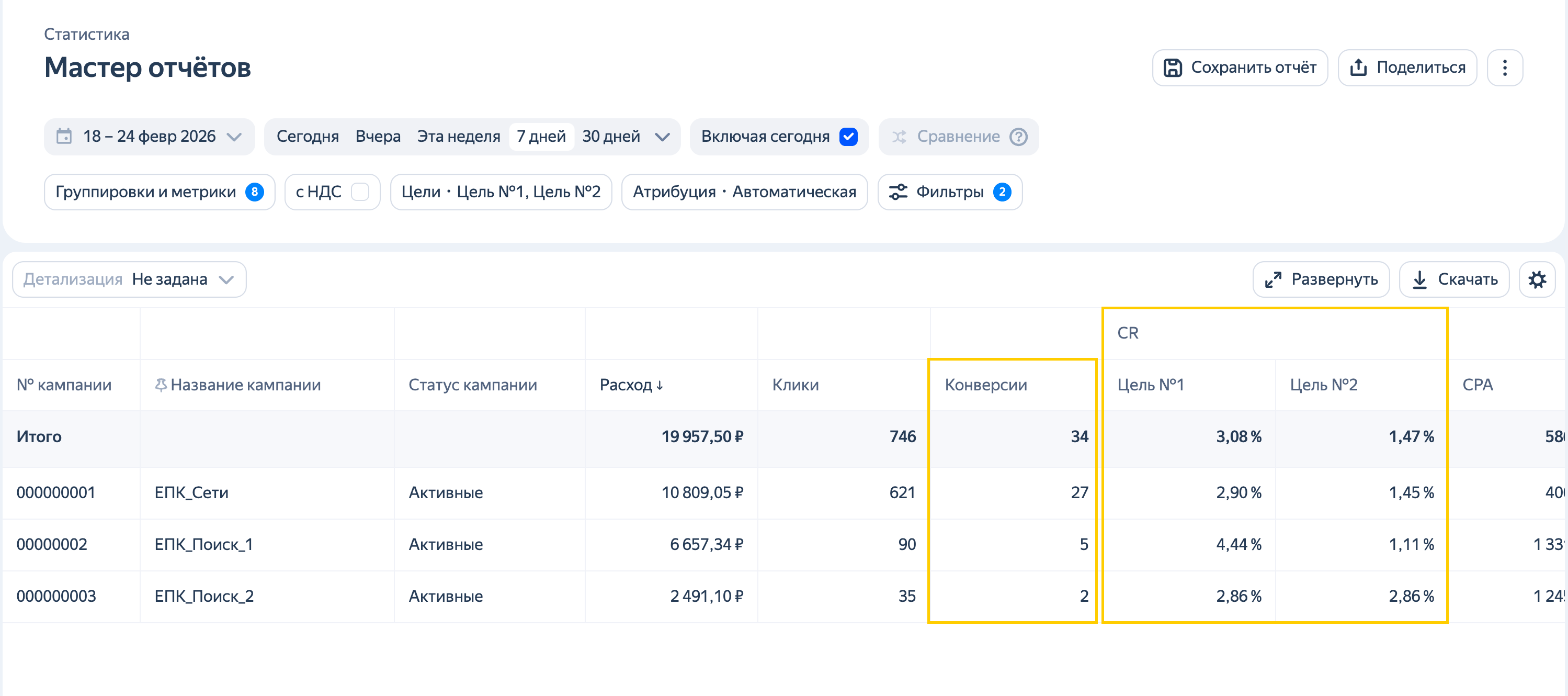
If you select multiple goals, configure how their conversion metrics are displayed. To do this, select Total for all selected goals, Separately for each goal, or both.
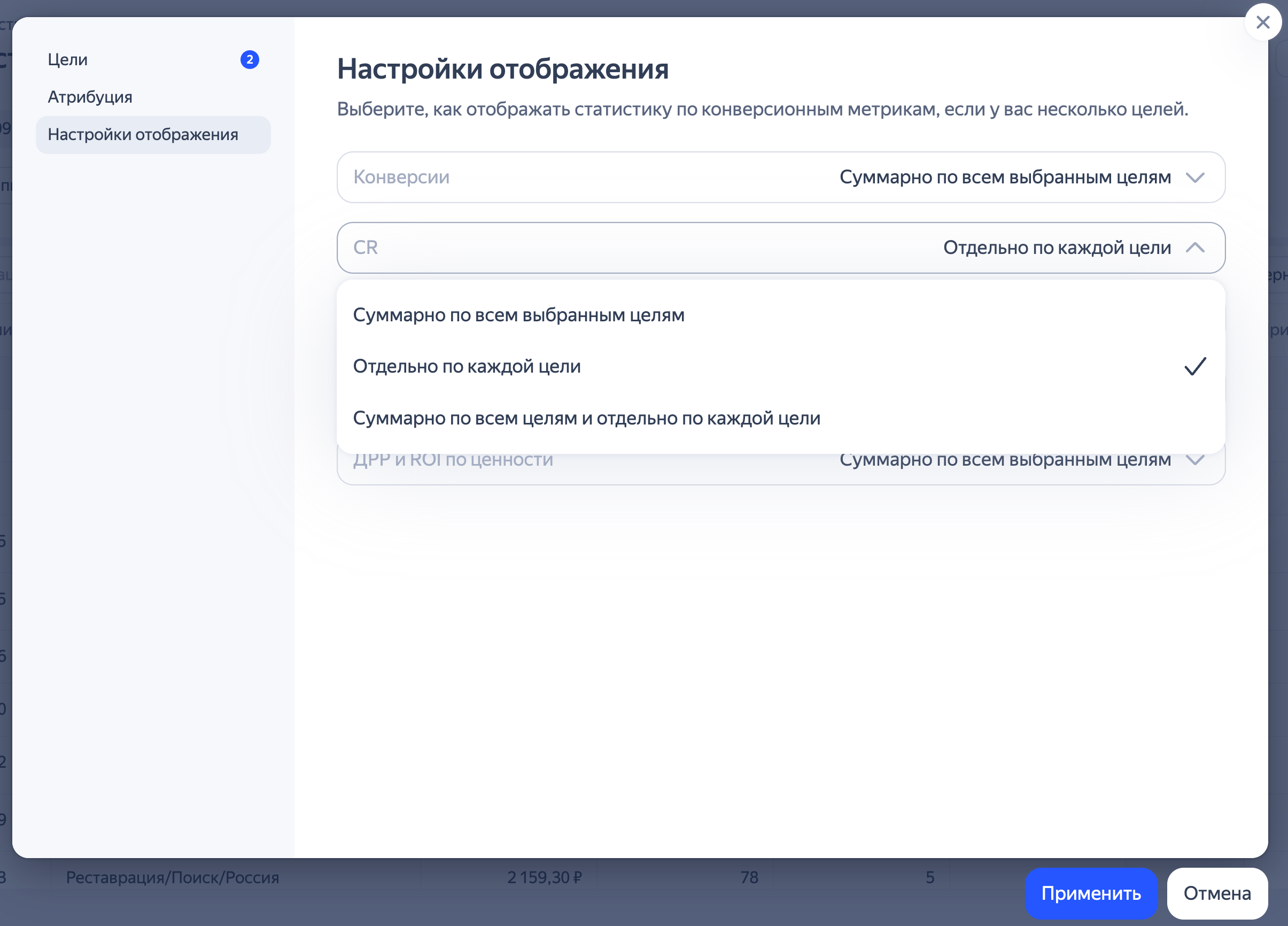
You can also specify individual settings for each metric. For example, you can view the total number of conversions for all goals while tracking conversion rate for each goal separately.
To display separate columns for each goal, select up to 20 goals. If you select more than 20 goals, you'll only see the total number of conversions for all selected goals.
If you select Separately for each goal in Display settings for goals, you can customize the order of the goal columns in your report. To reorder goals, go to the Goals tab and drag the goals where you want them in the list.
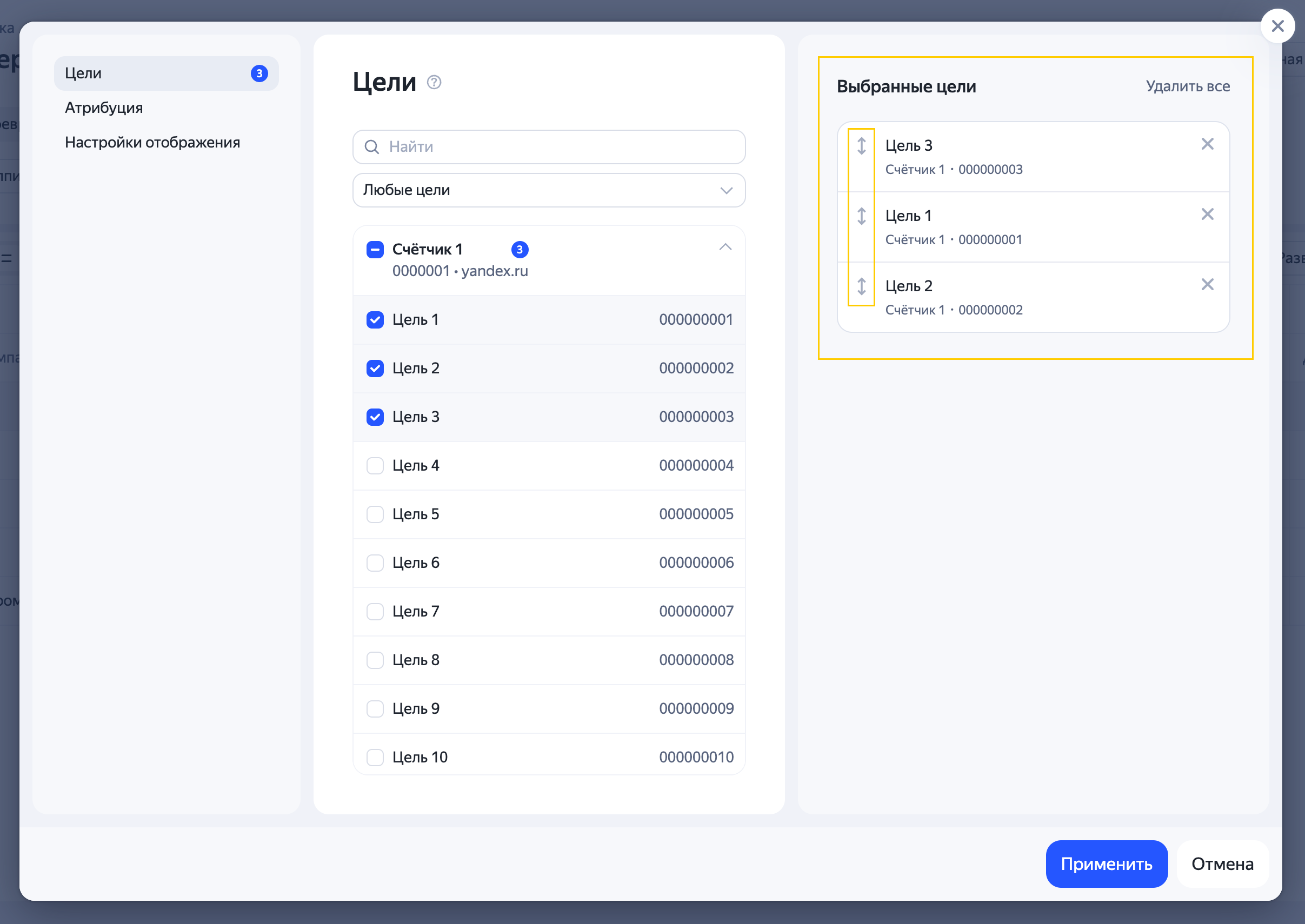
To deselect all goals, click Delete all.
Have questions?
Alert
Our customer support can only assist you with campaigns linked to the username you are contacting us from. You can check your username by opening ya.ru in another browser tab. Our team can access your data only when processing your request.
Scan the QR code or tap it to follow the link.


If you select Telegram or WhatsApp, keep in mind that Yandex does not control and is not liable for how third-party messengers store your data and chat history.