Group scenario
Group scenarios help you choose who will see your ads.
- All interested audience: The campaign will reach everyone who could be interested in your product or service. This setting delivers the maximum reach for your ads.
- New customers (for online stores) or New audience (for other businesses): The campaign will target users who have never made a purchase or generated a conversion on your site. This way, you'll attract only new customers.
You can set up group scenarios in the unified performance campaign.
Setting up targeting for a new audience
To target a new audience, provide the details on your current clients. Yandex Direct will exclude this segment and show ads only to a new audience.
-
Choose the group scenario New customers (New audience).
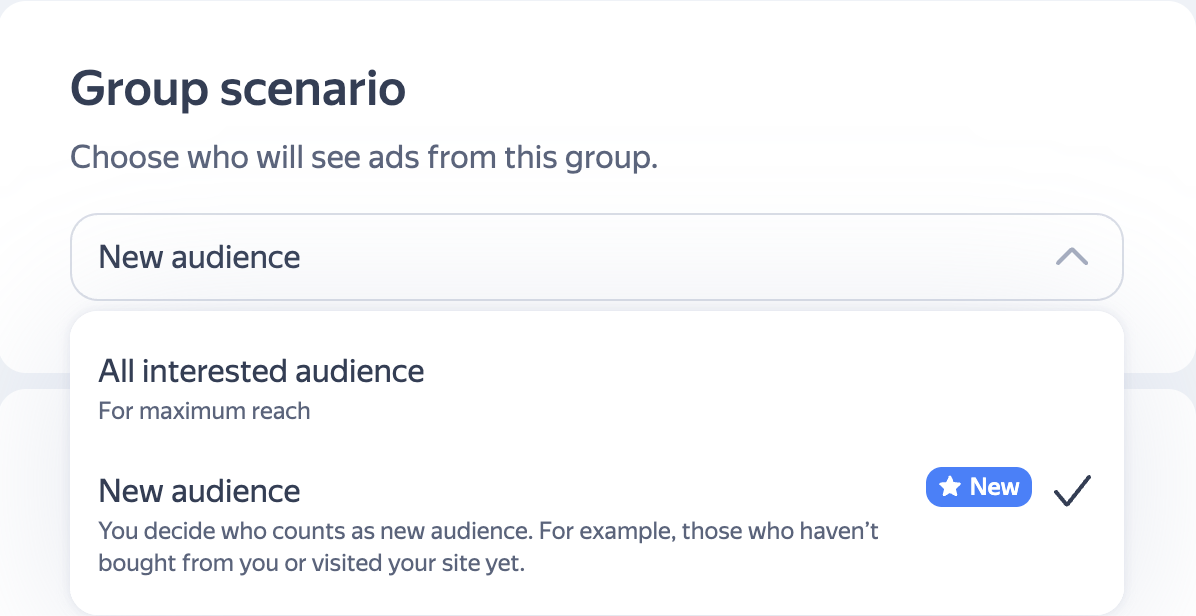
-
In the New customers (New audience) section, click Add or select the existing segment with current customers if it was created automatically.
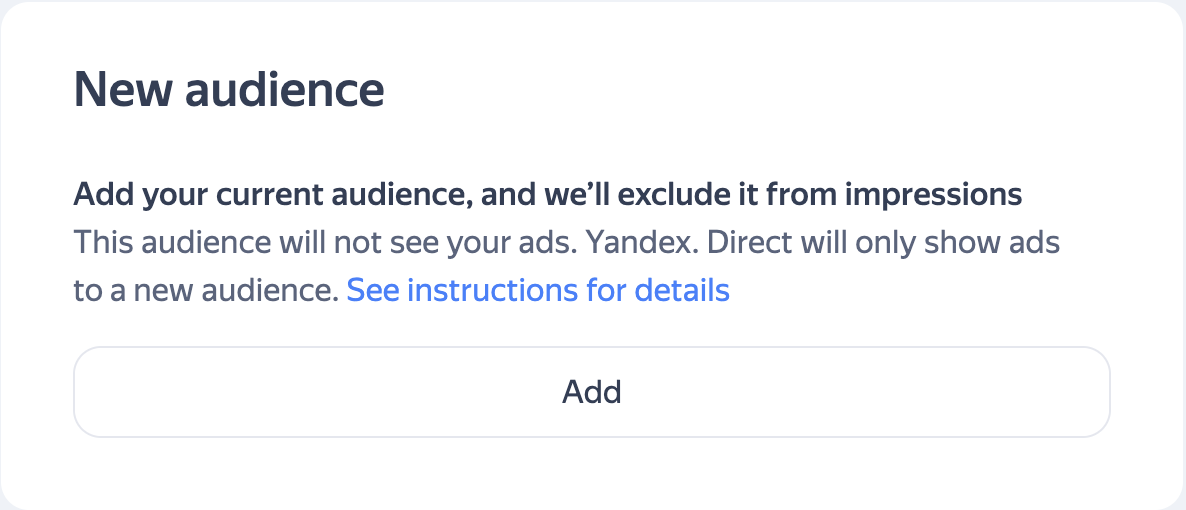
If you're promoting an online store, Yandex Direct will automatically create a segment with your current customers. You can edit this segment.
-
Choose the rules for defining your current customer segment:
- Yandex Metrica goal
- Segment in Yandex Metrica
- Yandex Audience segments
- Mobile app goal.
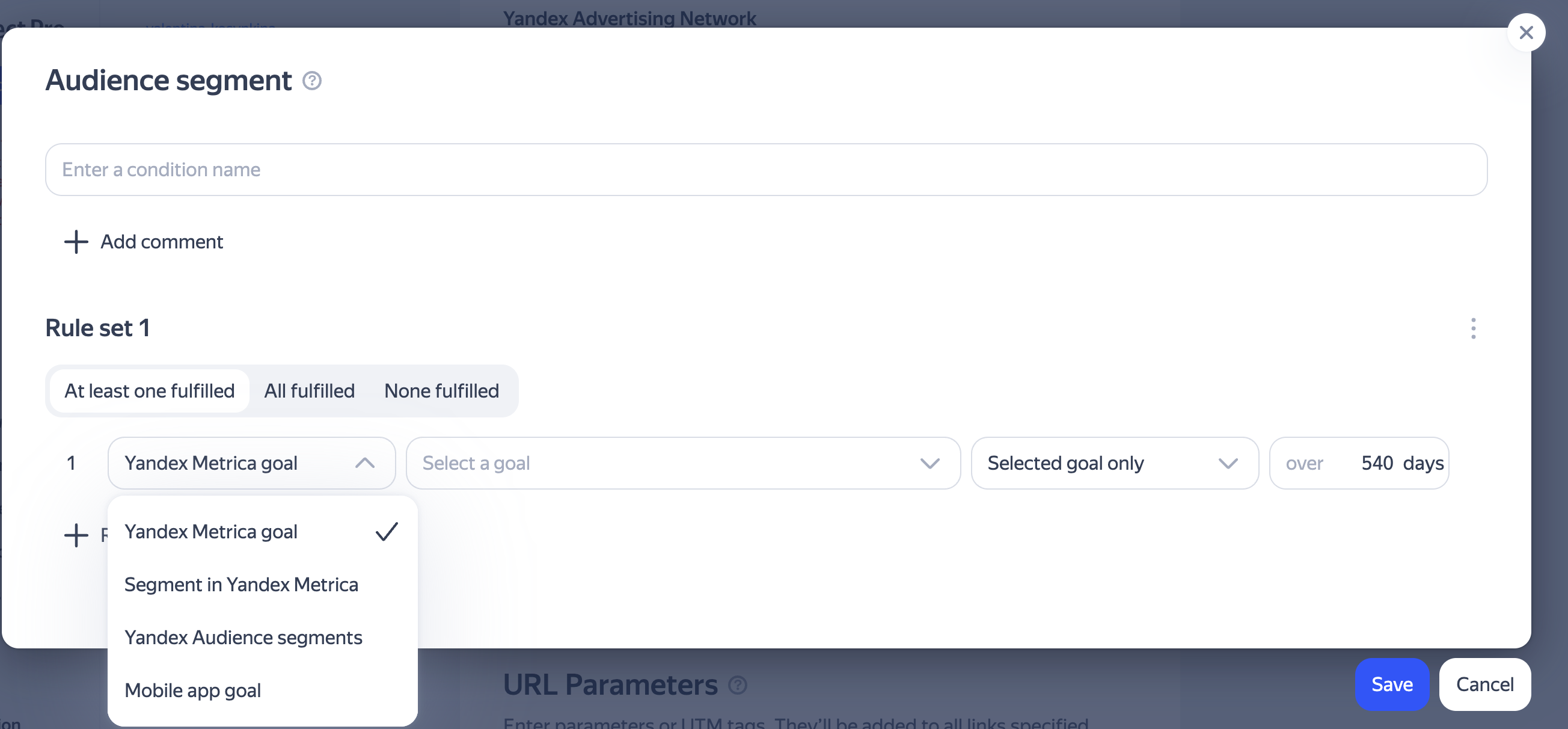
The more data you share about your current clients when setting up a segment, the more accurately the system can identify and exclude them from impressions.
Note
After launching a campaign with a defined segment of current audience, the share of new audience may be less than 100%. This happens because, in some cases, it's impossible to identify a user. For example, if they use Incognito mode, browse with Safari, or disable IDFA/GAID sharing on their mobile device.
How do I set up a current audience segment?
Using a Yandex Metrica goal
If you're promoting an online store, a segment with your current customers is created automatically. It will include users who, in the last 365 days, have completed:
-
An "Ecommerce: purchase" conversion, if you have e-commerce enabled.
-
A conversion for a different end goal, if you don't have e-commerce enabled (the system determines the end goal automatically).
You can edit this rule if you're using other goals to track purchases in your store:
- In the New customers section, click the current customer segment.
- Replace the Yandex Metrica goal with the goal you need.
- Specify the period after which customers should be considered new.
- Click Save.
If the segment wasn't created automatically, click Add under New customers, select the goal you use to track orders, and specify the period after which customers should be considered new. Click Save.
If you're promoting a business that isn't an online store:
- Under New audience, click Add.
- Choose the goal that you use to track purchases or orders on your site. For example, "Purchase" or "Order completed".
- Specify the period after which customers should be considered new.
- Click Save.
Using offline conversion goals
If your customers can place orders or make purchases outside your website or app (for example, by phone or in a physical store) and you submit offline conversion data, add those customers to your current audience segment.
If you're promoting an online store and have offline conversion goals set up, your automatically created segment already includes an editable condition for "CRM: Order paid" conversions.
If you're promoting a different type of business, add a rule for compelting an offline conversion goal to the segment with your current customers:
- Select a segment with your current audience.
- Select the Yandex Metrica goal that you use to track offline conversions. For example, "CRM: Order created" or "CRM: Order paid".
- Specify the period after which customers should be considered new.
- Click Save.
If you have a mobile app
Mobile app goal
If you have a mobile app, you need to exclude users who've already made a purchase or placed an order there. To do this, add in-app events to the rules for building your current customer segment.
If you're promoting an online store, your automatically created segment already includes conditions for in-app conversions such as "Purchase".
If you're promoting a different type of business:
- Select a segment with your current audience.
- Specify the mobile app goal for iOS and Android, such as "Purchase".
- Specify the period after which customers should be considered new.
- Click Save.
How to add details about your mobile app to Yandex Direct
Data from CRM
Add users whose data is in your CRM to your current audience segment:
- Select a segment with your current audience.
- Add an existing Yandex Audience segment with your clients' contact information from your CRM or with mobile device identifiers. For instructions on how to create a segment in Yandex Audience, see Help.
- Click Save.
Advanced Matching on the Yandex Metrica tag
Advanced Matching makes it easier to accurately identify users who generate conversions on your site, including those who use browsers with third-party cookie restrictions, such as Safari or Mozilla Firefox. Learn more about this technology here.
To exclude as many existing customers as possible from your ad impressions, enable Advanced Matching in Yandex Metrica:
- Go to your Yandex Metrica tag settings.
- Select Settings → Advanced settings.
- Under Configure data usage security, enable Advanced tracking settings.
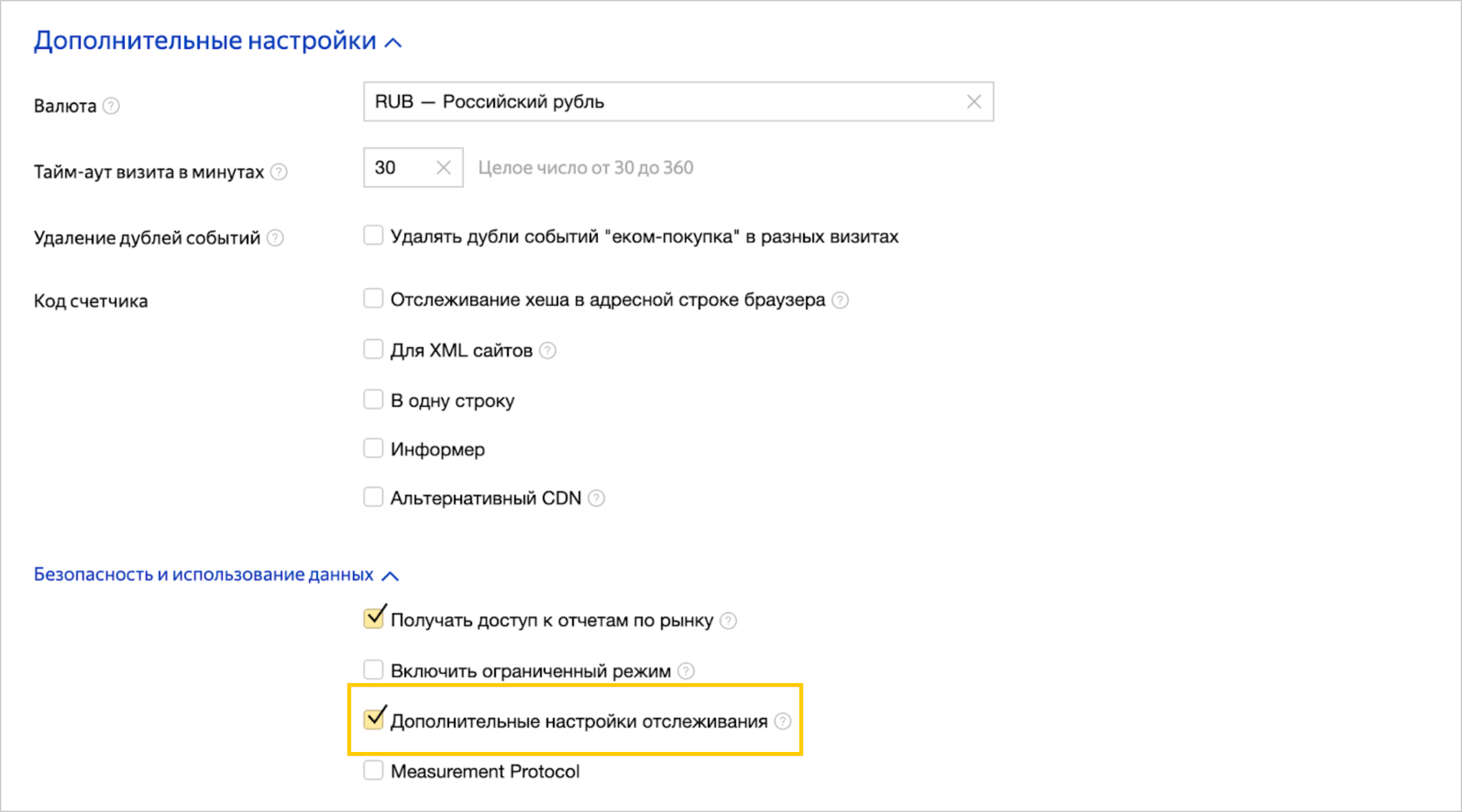
More about setting up Advanced Matching
Recommendations
Conversion cost in your campaign
The cost of acquiring new customers is usually higher than engaging your existing audience. Once you've acquired a customer, you can cross-sell, encourage repeat purchases, and increase their LTV and average order value in other ways.
To make your campaigns as effective as possible, we recommend:
- If you're running a separate campaign to reach new audiences, use a higher goal cost in it than in the campaigns targeting all interested users.
- If your campaign includes ads for all interested users and a dedicated group for new customers, apply a positive bid adjustment to the ad group for new customers.
How to use other targetings and criteria
The New customers (New audience) scenario works in combination with other audience criteria using the AND operator in the Yandex Advertising Network and on Yandex Search.
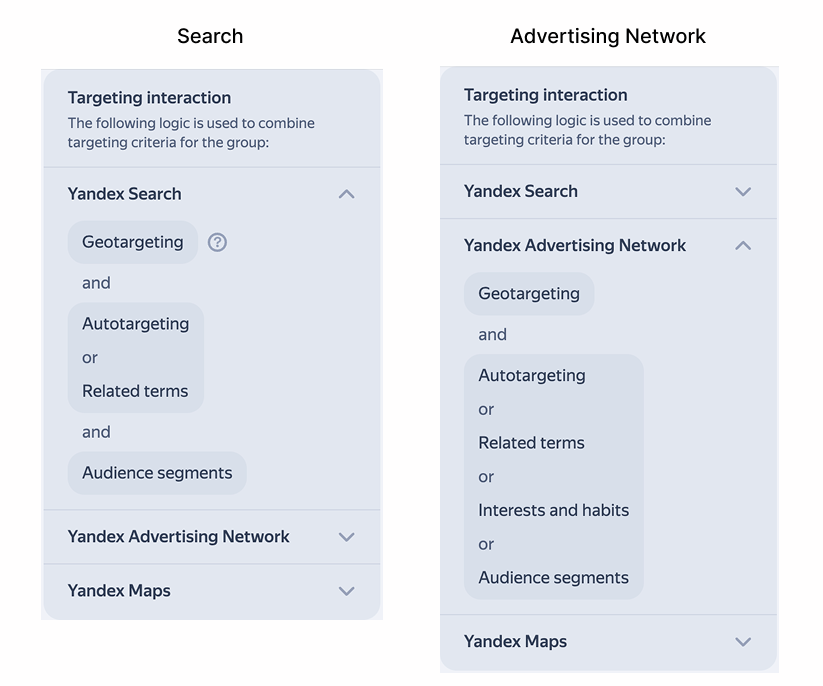
This way, you can create even more specific segments of new customers. For example, you can combine the New customers scenario with a segment of users who've added products to their cart (you can set up this segment in the Audience segments section). This helps you reach users who have never made a purchase on your site but have visited and added items to their cart.
Have questions?
Alert
Our customer support can only assist you with campaigns linked to the username you are contacting us from. You can check your username by opening ya.ru in another browser tab. Our team can access your data only when processing your request.
Scan the QR code or tap it to follow the link.


If you select Telegram or WhatsApp, keep in mind that Yandex does not control and is not liable for how third-party messengers store your data and chat history.
Useful links
Legal documents
Training
Learn more
LTV (customer lifetime value) is a financial metric that shows the total profit a customer generates for a business over the entire period of their relationship.