Side panel
By default, the side panel is pinned to the left side of Yandex Browser.
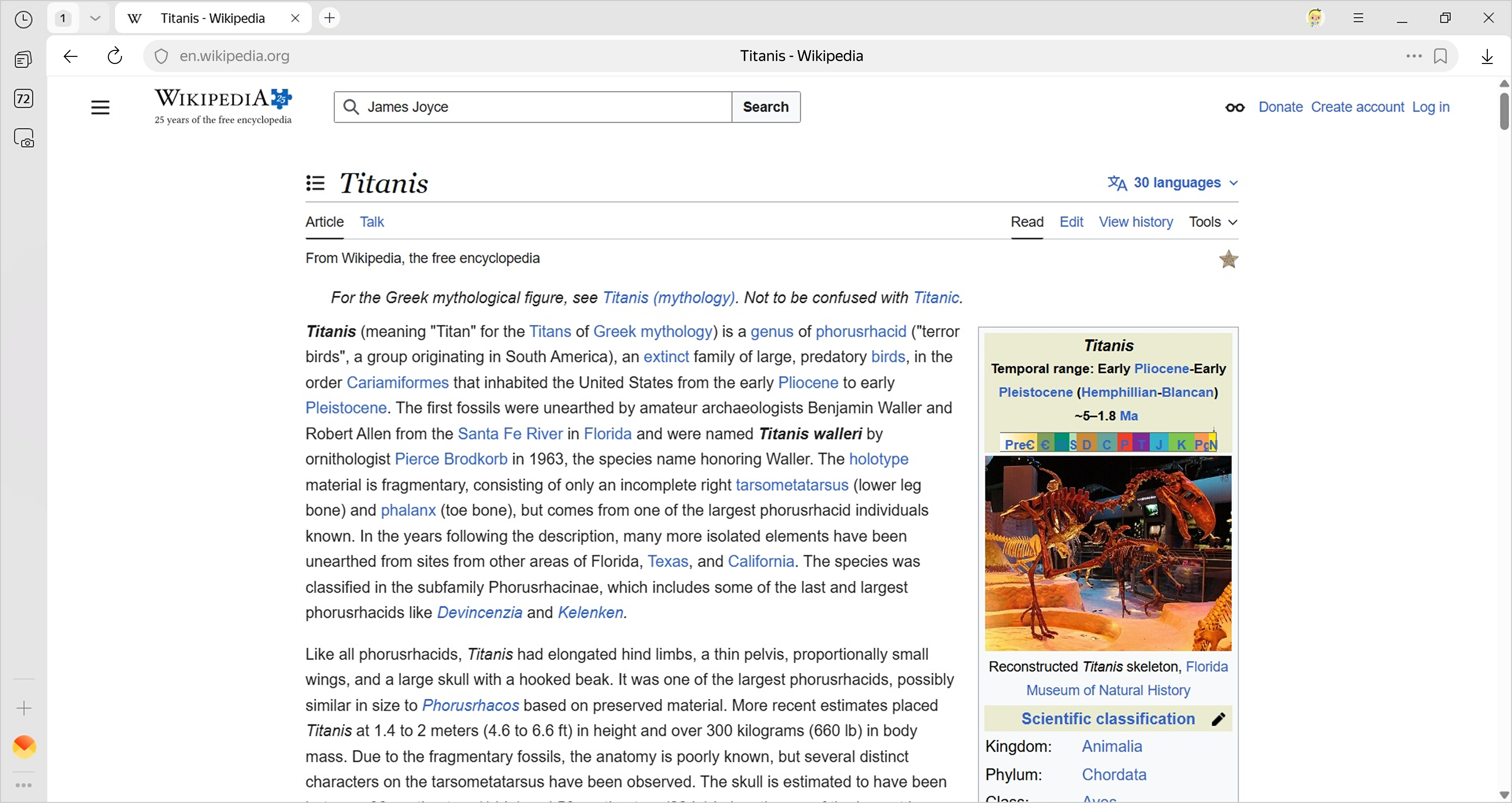
What's on the side panel:
-
— History.
-
— Notes, where you can save ideas and other important info.
-
— Manage music.
-
— Tab manager.
-
— Applications.
-
— Side panel menu.
Customize your side panel:
Enable
- Click → Settings → Interface.
- Under Side panel, select Show side panel.
Customize the display
-
Click → Settings → Interface.
-
Under Side panel, enable the following options:
-
Show side panel: The panel only appears when you hover over the left edge.
-
Pin when viewing sites: The panel always appears on the left.
-
Remove icons
-
Click → Tools.
-
Clear the checkbox for the icon you want to hide.
Note
You can't remove the button from the side panel.
Disable
- Click → Settings → Interface.
- Under Side panel, deselect Show side panel.
Was the article helpful?
Previous