Protect: filter out intrusive ads
The Yandex Browser beta version filters out intrusive ad formats so you can disable them in the settings.
What ads get filtered out?
- Fullscreen static prestitial ad units that appear right after the page loads. You can only close them after the countdown has ended.
- Large pop-ups in the center of the screen that cover the page contents. You can close them right away or after the countdown has ended.
- Video ads with sound located above the page contents. The sound turns on automatically after the videoclip loads.
- Sticky ads that take up the full width of the screen at the bottom of the browser window. They can be closed immediately.
- Sticky ads that take up the full width of the screen at the top of the browser window. These can't be closed.
Allow annoying ads
-
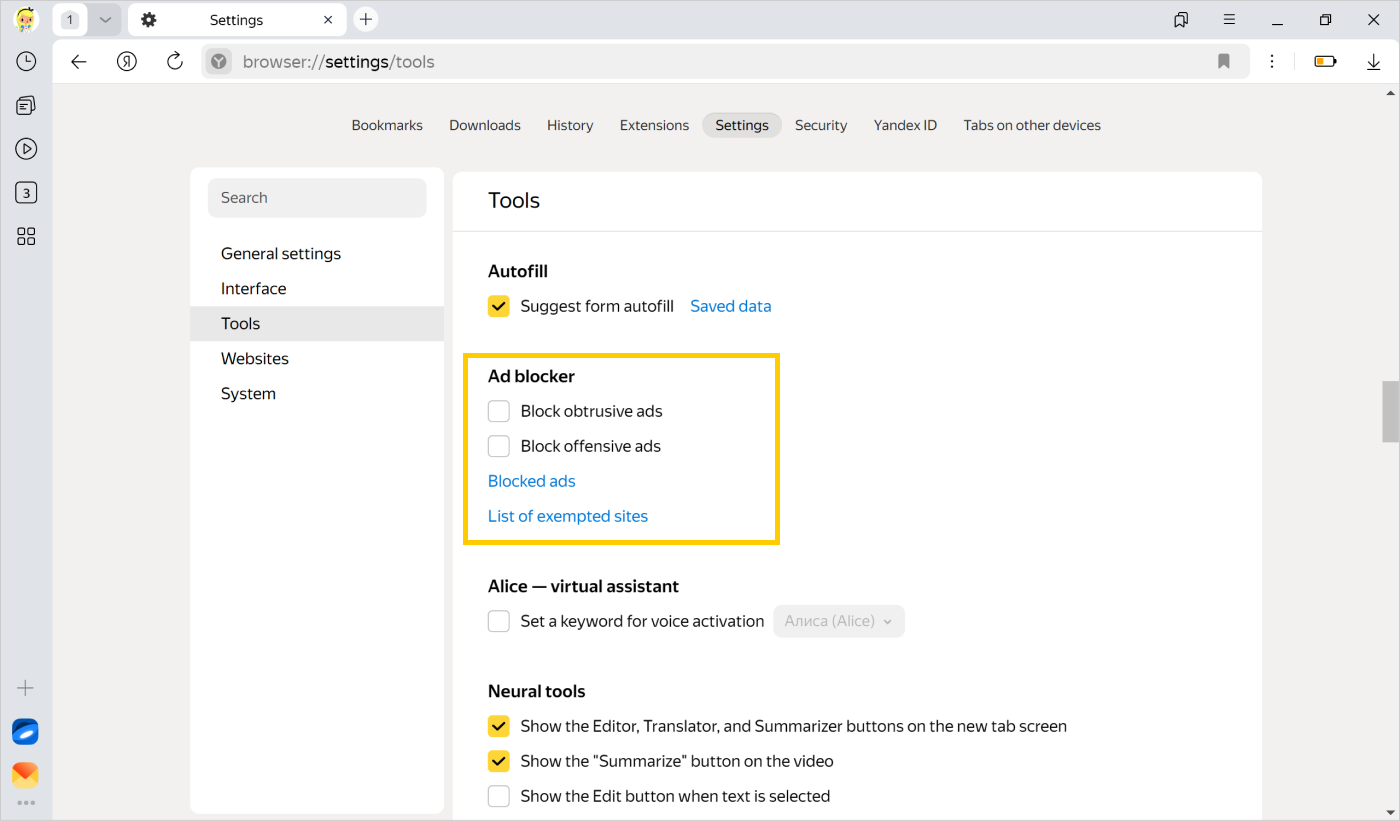
Click → Settings → Tools.
-
In the Ad blocker section, disable the Block obtrusive ads option.
An ad page opens
-
Disable all extensions.
-
Close the Browser with a keyboard shortcut Ctrl + Shift + Q (on Windows and Linux) or ⌘ + Q (in macOS).
-
Restart Yandex Browser and check if the extensions are still disabled. If they are not, or if the ad appears even with the extensions disabled, check your computer for unwanted software.
Was the article helpful?
Previous